Why I built yet another image viewer
feh, nomacs, Eye of GNOME, Gwenview, qimgv and twenty other image viewers for Linux - tried ’em all, and something was always missing. No, not an NIH problem - really been trying to make it work for more than a decade.
One would not start fullscreen. Another would not close on a single press of Escape. One had inconvenient keyboard navigation. Another did not support some image format I happened to encounter. Others were just too slow to start.
Well, not that it was that big of a deal - but when encountered many times per day… you know the pressure built up and eventually I did the obvious unreasonable thing and started building my own image viewer.
Part of the inspiration came from remembering the ACDSee experience from when I was using Windows 20 years ago. I mean, it was especially important back then because hard disk drives were slow - and it had that nice feature - it was preloading the next image while you were watching the current one.
Open an image, press a key - and the next image is simply there, nice and snappy.
And yeah, now we have SSDs, they are fast - but many of my images live on a NAS over Wi-Fi. Latency becomes noticeable, bandwidth is finite, and decoding starts only after enough data has arrived.
My common workflow is opening a file from Midnight Commander and then moving through the other images in the same directory.
So I built Better Image View, or biv: a deliberately small, keyboard-first image viewer for Linux.
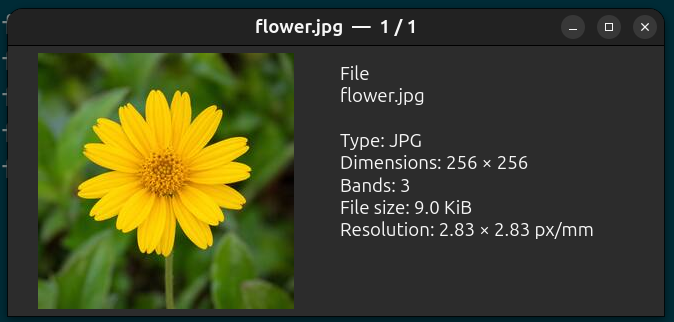
Obviously, “better” is subjective - in this case it mostly means “behaves the way I expect.”
It starts fullscreen. Escape closes it. Page Down, Space, the arrow keys, and the mouse wheel move through the directory. Large images shrink to the available screen. Small images remain at their natural size. Zooming and panning are there when needed, but they are not the main event.
There is an information overlay, a metadata and EXIF panel, printing, and a deliberately small quick-edit mode. Quick editing is non-destructive: it can rotate or downsize an image and save a copy, but it does not silently modify the source.
And - the next image gets loaded while I’m viewing the current one!
Better Image View is written in Rust and uses GTK4 for the interface and libvips for image processing.
Image loading and decoding happen away from GTK’s main thread. This is important - because the interface should remain responsive even when the storage or decoder is busy.
Oversized images are decoded close to the size actually required for the screen. If I am viewing a 12,000-pixel photograph on a 2,000-pixel display, producing and retaining the complete full-resolution bitmap just to immediately shrink it is not particularly useful.
Decoded images are kept in a bounded cache so they don’t eventually consume all available memory merely because somebody held down Page Down in a directory full of large photographs.
The viewer preloads images in the current navigation direction. When moving forward, it spends its spare time preparing the next image. Change direction, and its prediction changes as well.
Full disclaimer - it is an early prototype, built primarily around my own Linux workflow. There will certainly be strange images it cannot read, desktop environments where some behavior is awkward, etc.
But if you are like me - give it a try ;)